
Change the language automatically on document reports
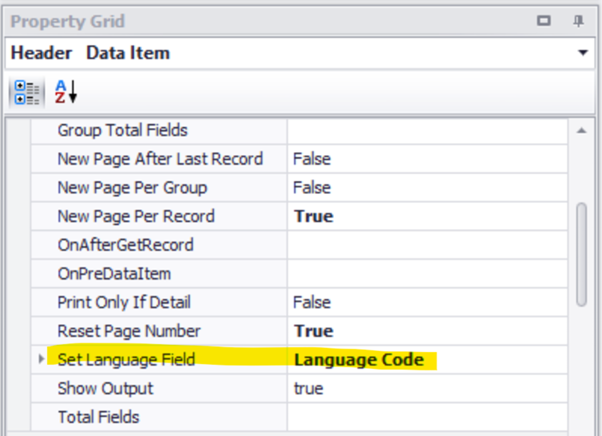
To set the language automatically on document reports, in the Header Data Item, set the Set Language Field property to the field containing the language code.
This means that, when creating a new data item, the language is changed automatically if the record has a field with relation to the language table.
Latest news
Latest knowledge base articles
-
AI Assistant in the ForNAV Designer (beta)
-
Mapping from Business Central documents to ZUGFeRD and XRechnung
-
Using native Business Central ZUGFeRD generation with FORNAV reports
-
Repeater tables and barcodes in the ForNAV Template Editor
-
Controlling report language, format region, copies, and watermark with the Report Settings page