
Cross reference information
To support Microsoft Dynamics NAV/Dynamics 365 Business Central cross-reference tools, such as the Advanced Object Manager and Statical Prism, you can now create cross-reference information in ForNAV for fields used in the ForNAV report layout.
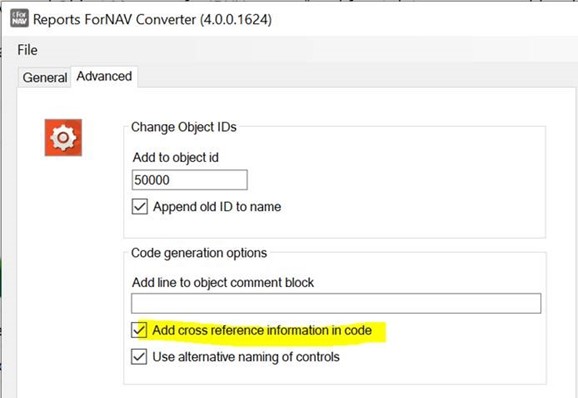
In the Converter, you simply select the Add cross reference information in code checkbox:
This results in a new AL trigger with a dummy function, with the fields used in the report as parameters:
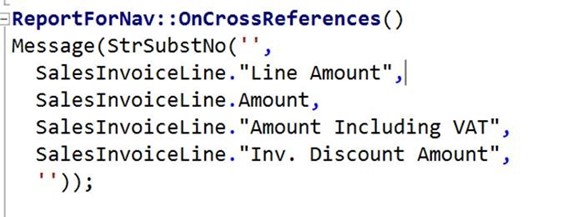
The fields referenced in the trigger will be picked up by the cross-reference tool, like in any other piece of code.
Latest news
Latest knowledge base articles
-
AI Assistant in the ForNAV Designer (beta)
-
Mapping from Business Central documents to ZUGFeRD and XRechnung
-
Using native Business Central ZUGFeRD generation with FORNAV reports
-
Repeater tables and barcodes in the ForNAV Template Editor
-
Controlling report language, format region, copies, and watermark with the Report Settings page